
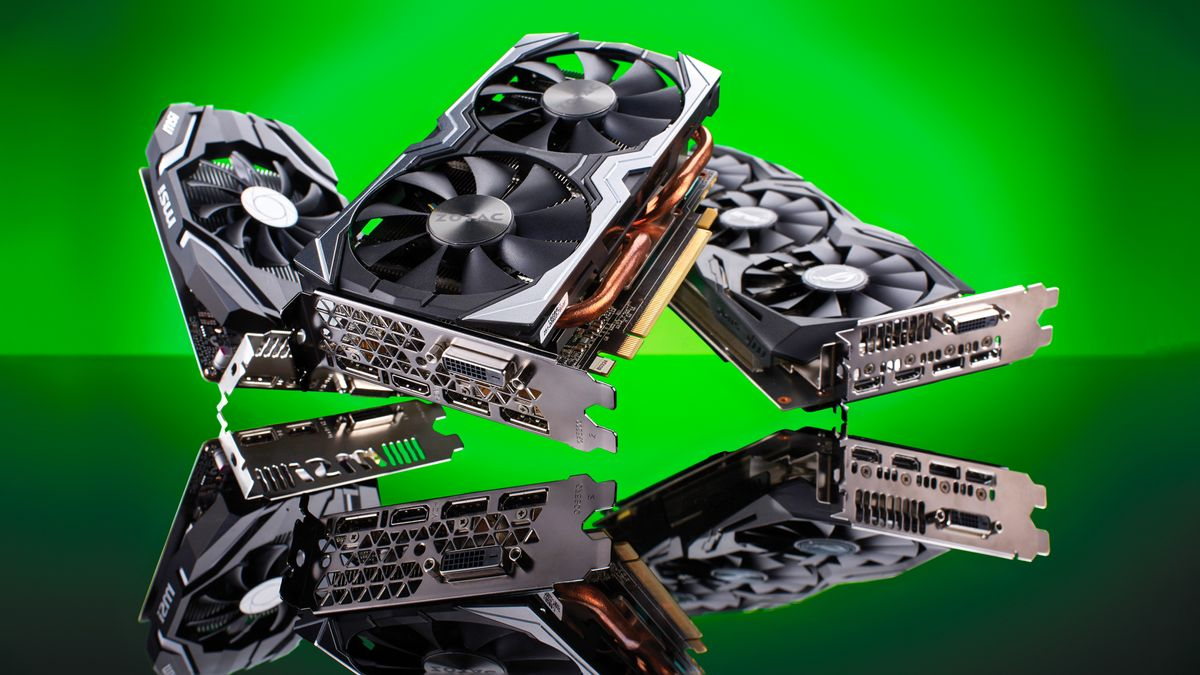
Graphics Cards in Hong Kong – Compare Prices and Find the Best GPU Deals
Why Graphics Cards Are Essential for PCs Today
A graphics card (GPU) is the powerhouse behind any high-performance PC, handling everything from gaming graphics to video editing and 3D rendering. Whether you’re a gamer, designer, or casual user upgrading your rig, the right GPU transforms your entire computing experience.
In 2025, GPUs are more powerful, efficient, and in higher demand than ever—thanks to advancements in AI, 4K gaming, and virtual reality. Brands like NVIDIA and AMD continue to push the limits, with RTX 4000 series cards and high-end RDNA 3 models dominating the conversation. In Hong Kong, with its vibrant gaming and tech communities, savvy buyers rely on smart graphics card comparison to snag the best deals fast.
Popular GPU Brands & Best-Selling Models in Hong Kong
These are the top brands and models Hongkongers are raving about:
NVIDIA
Industry leader known for ray tracing, DLSS, and cutting-edge architecture. Top picks:
- GeForce RTX 4070 Ti – excellent 1440p/4K gaming performance.
- GeForce RTX 4090 – powerhouse for hardcore gamers and creators.
Browse the full NVIDIA graphics cards list to find options for every budget.
AMD
Powerful, competitively priced alternatives with high VRAM capacity.
- Radeon RX 7900 XTX – 4K gaming at a reasonable price.
- Radeon RX 7800 XT – great for high-end 1440p gaming.
Intel (Emerging)
Intel’s ARC series is gaining traction for affordable gaming builds.
- Intel Arc A770 – solid mid-range option for casual gamers.
What to Consider Before Choosing a Graphics Card
Price Range
- Entry-level (HK$1,000–HK$2,500): Suitable for 1080p casual gaming.
- Mid-range (HK$2,600–HK$5,500): Great for 1080p ultra or 1440p gaming.
- High-end (HK$6,000+): Best for 4K gaming, VR, and professional workloads.
Usage
- Gaming: Prioritize frame rates and ray tracing capabilities.
- Content Creation: Look for higher VRAM (8GB–24GB) for smoother video editing and 3D rendering.
- AI & Research: Opt for cards with CUDA cores (NVIDIA) for faster computing.
Compatibility
Make sure your PC case, motherboard slot (PCIe 4.0 or 5.0), and power supply can handle your new GPU’s size and wattage.
Performance Metrics
Use benchmarks and graphics card comparison charts to validate your choice for your needs (e.g., 1440p 120Hz gaming vs. 4K ultra).
Top Features to Look for
When you’re browsing through GPUs on iPrice, prioritize these features:
- VRAM (Video RAM): 8GB minimum for gaming; 16GB+ for professional use.
- Ray Tracing & DLSS (for NVIDIA cards): Improved lighting effects and frame rates.
- Cooling System: Triple-fan coolers and vapor chambers for better heat management.
- Power Efficiency: Check the TDP (Thermal Design Power) rating.
- Ports: Look for HDMI 2.1 and DisplayPort 1.4a support for next-gen displays.
Frequently Asked Questions (FAQs)
1. Why do prices for the same graphics card vary between different retailers?
Prices for the same graphics card for PC can vary due to supply chain differences, regional distributor pricing, store promotions, and stock levels. Some Hong Kong retailers import GPUs directly, leading to slight price fluctuations. Limited editions or factory-overclocked variants can also cost more.
2. What is a price match guarantee and how does it work for graphics cards?
A price match guarantee allows you to claim a lower price if you find the same graphics card for PC sold cheaper by another authorized retailer. You usually need to present proof like a live website link or ad screenshot. Not all sellers offer price matching, and terms often exclude promotional bundles or outlet items. Always check the fine print if you plan to use a price match when upgrading your GPU.
3. How do I know if a graphics card price is good or too expensive?
A good way to judge if a graphics card for PC is fairly priced is by checking the latest average market prices through a trusted graphics card comparison tool. Cross-reference the model with similar ones in the NVIDIA graphics cards list or AMD’s lineup. You should also consider launch pricing, MSRP (Manufacturer Suggested Retail Price), and current market demand (especially after crypto booms or major tech releases). If the listed price is 20–30% higher than normal, it’s better to wait or shop around.
4. What should I do if I find a better graphics card price after purchasing?
If you find a better deal after buying your graphics card for PC, check if your retailer offers a price adjustment policy—some stores refund the difference if you notify them within 7–14 days. If not, and returns are allowed, you might consider returning the card and repurchasing it at the better price. Always read the return policy carefully before buying, especially for expensive GPUs.
5. How do I find the best price for a specific graphics card model?
The best way to find the lowest price for a graphics card for PC—whether it’s from the NVIDIA graphics cards list or an AMD model—is by using a real-time price comparison site like iPrice Hong Kong.
Shop Smart – Compare Graphics Card Prices in Hong Kong on iPrice
Whether you’re gaming at 240Hz or editing 8K videos, the right graphics card for PC makes all the difference. Use iPrice Hong Kong to compare top models, explore the full NVIDIA graphics cards list, and make smarter decisions with our graphics card comparison tools. Don’t overpay—upgrade wisely today!